
See what is taking space
Overview, storage analysis, and cleanup suggestions stay in one place so the next step is obvious instead of guesswork.
Cleer for macOS
Find reclaimable space, understand why it can go, preview every change, then confirm. All inside a native Mac app. No terminal wrappers. No opaque Clean Now button.
Pay once. 7 day refund.
Why Cleer
Built for Mac users whose disks fill with downloads, media, and developer projects, and who refuse opaque cleanup buttons.
Overview, storage analysis, and cleanup suggestions stay in one place so the next step is obvious instead of guesswork.
Caches, logs, browser leftovers, installers, app residue, and project artifacts appear in a readable list before anything is removed.
Cleer explains each action in plain language, skips system files by default, and waits for your confirmation.
How it works
The same calm sequence runs through Smart Clean, uninstall, storage review, project cleanup, and optimize.
Choose a task and let Cleer inspect the relevant parts of your Mac locally.
Read the result, open the details, and deselect anything you want to keep.
Approve the final list only when it matches what you intended.
Product
Switch through the real workflows. Every screen stays readable before you confirm a change.
01/12
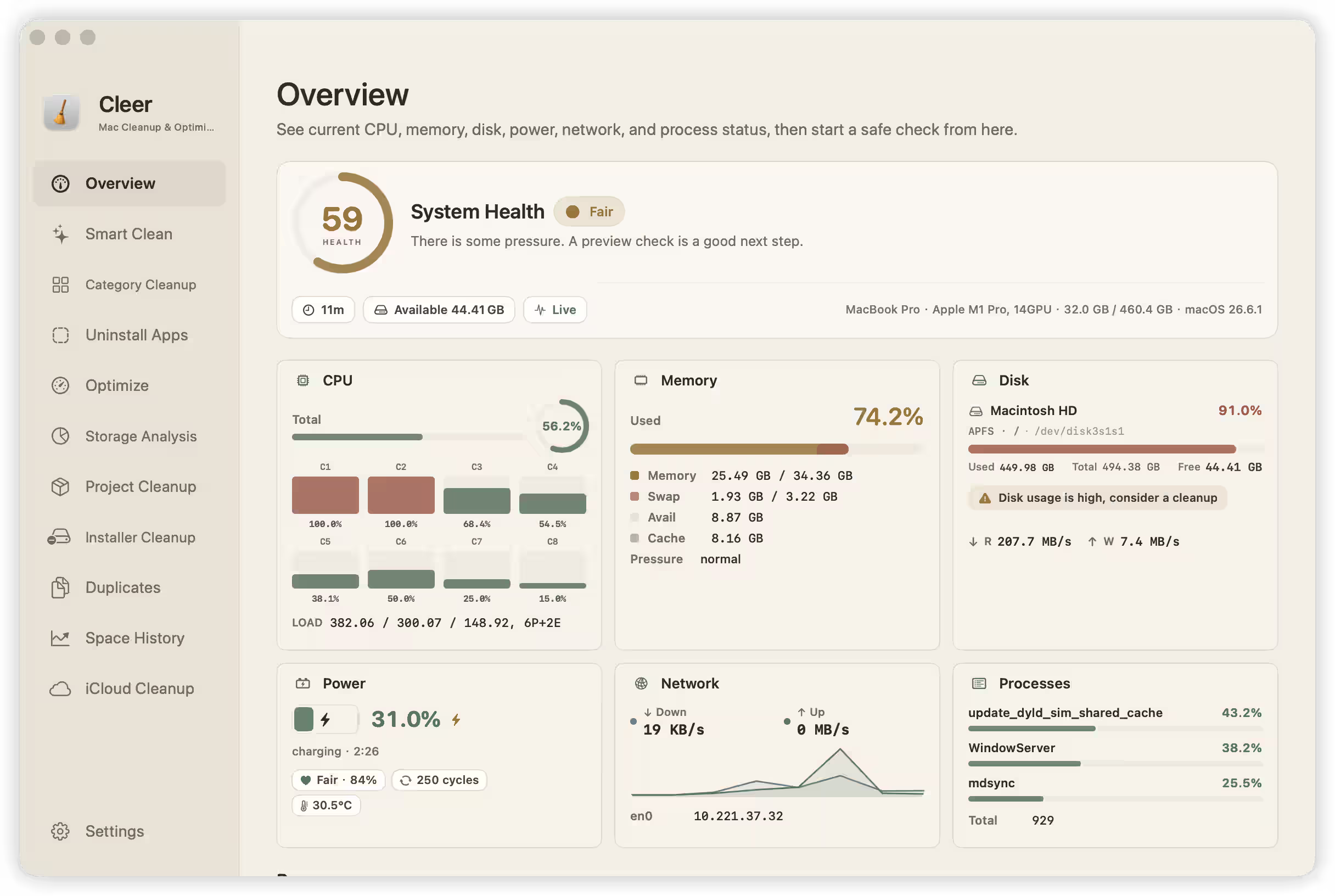
System overview
CPU, memory, disk, power, network, and process status stay in one dashboard so you can start a safe check from here.
Agent Tools · Beta
Cleer 1.2.0 adds a local cleer CLI and MCP server for Cursor, Codex, and Claude Code. Same scan engine and license as the app. Cleanup still needs approval in Cleer.
Read the docsScan folders, find duplicates, and prepare cleanup plans from your shell.
stdio only. No open network port. Install from Settings in one click.
Scans are read-only. Applying cleanup still requires Cleer UI approval.
Frequently asked questions
One purchase activates one Mac. If you reinstall Cleer or replace your Mac, open Settings and unbind the license, then bind it again on the Mac you want to use.
Agent Tools is a Cleer 1.2.0 beta that adds the cleer CLI and a local MCP server. Install it from Settings. Scans work from the terminal or clients like Cursor; applying cleanup still needs approval in the Cleer app.
Yes. Right after checkout, the success page shows your license key and download link. The same details are also sent by email.
Before Stripe opens, Cleer asks for your purchase email. That same email is prefilled at checkout and becomes the email tied to your license.
No. Preview does not delete anything. Cleer shows a readable list first, so you confirm only after you understand the change.
Cleer supports macOS 13 Ventura or later on Apple silicon and Intel Macs.
No. The $13.99 purchase is a single payment and includes future updates. If you are not satisfied, you can request a refund within 7 days.
Yes. Scanning and maintenance run locally inside the native macOS app. Activation and update checks need a network connection.
Pricing
No trial gates, no subscription, and no account system to babysit. Use CLEER50 during launch for half off.
See the evidence. Make the call.
A single purchase for one Mac. Launch code CLEER50 gives half off at checkout.
When you are ready
Buy once, receive your license instantly, and start from a clear preview of your Mac.